Integration via LinerAPI
Liner API allows external applications to access data inside Liner and interact with it. With this integration, you can automate workflows, exchange information, and manage entities directly through the API.
How to activate Liner API integration
-
Open Parameters → Integrations.
-
Click Create integration.

-
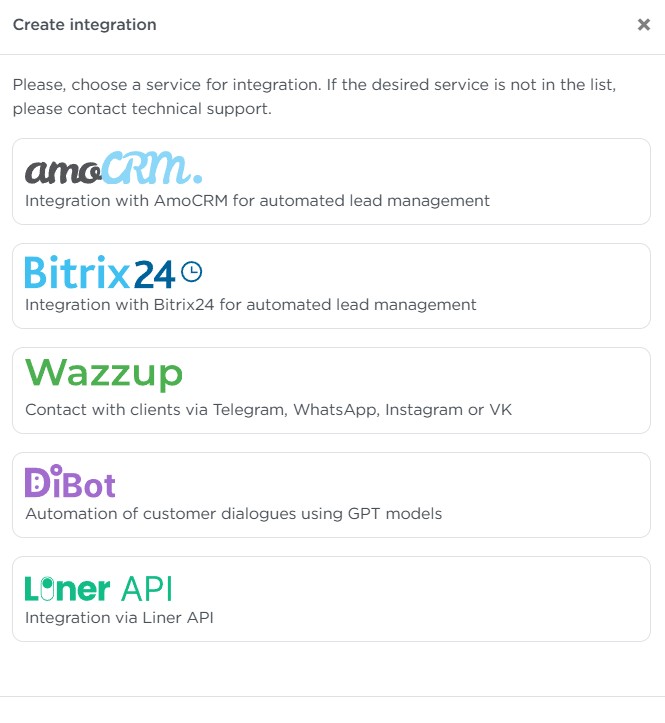
In the window that opens, select Liner API.
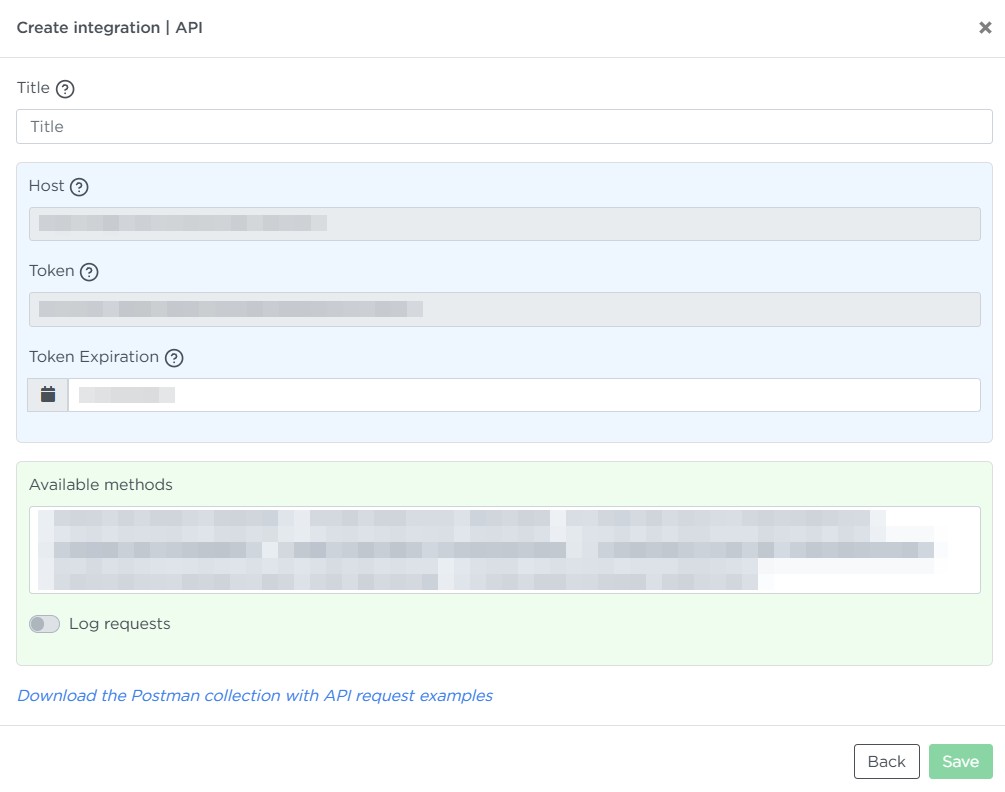
When creating an integration, fill in the following fields:
- Title — any name to help you identify the integration.
- Host — the address your application will use to access Liner.
- Token — a unique access key for the API. It ensures secure communication.
- Token Expiration — the token’s expiration date. By default, it is set to 5 years.
- Available methods — a list of functions allowed for use. Each method shows its API identifier.
- Log requests — enable this toggle if you want the system to store logs of incoming API requests.
After entering all required data, click Save.
Using the integration
After saving the integration settings, you can connect an external application to Liner and begin exchanging data through the API.
Example requests are available in a ready-made collection:
👉 Download the Postman collection with API request examples
Deleting the integration
To delete an integration:
- Find it in the list of available integrations.
- Open its settings.
- Click Delete.