Quality Control
The Calls → Quality Control section is used to review the results of call quality evaluations. This page brings together all checks performed by moderators: call ratings, identified mistakes, and summary statistics on agent performance quality.
On this page, you can see:
- which calls were reviewed,
- which mistakes occur most often,
- how the final call quality score is calculated.
Only calls that were manually reviewed are displayed here. Calls without an evaluation do not appear in this section.
Filters
Filters allow you to quickly narrow down the list of evaluated calls.
Available parameters:
- Date range — the date the evaluation was saved
- Lead ID — search for a specific lead by its identifier
- Agent — the employee whose call was evaluated
- Agent groups — groups of employees whose calls were evaluated
- Order — the object the lead belongs to
- Client — the customer
- Assigned manager — the employee who performed the evaluation
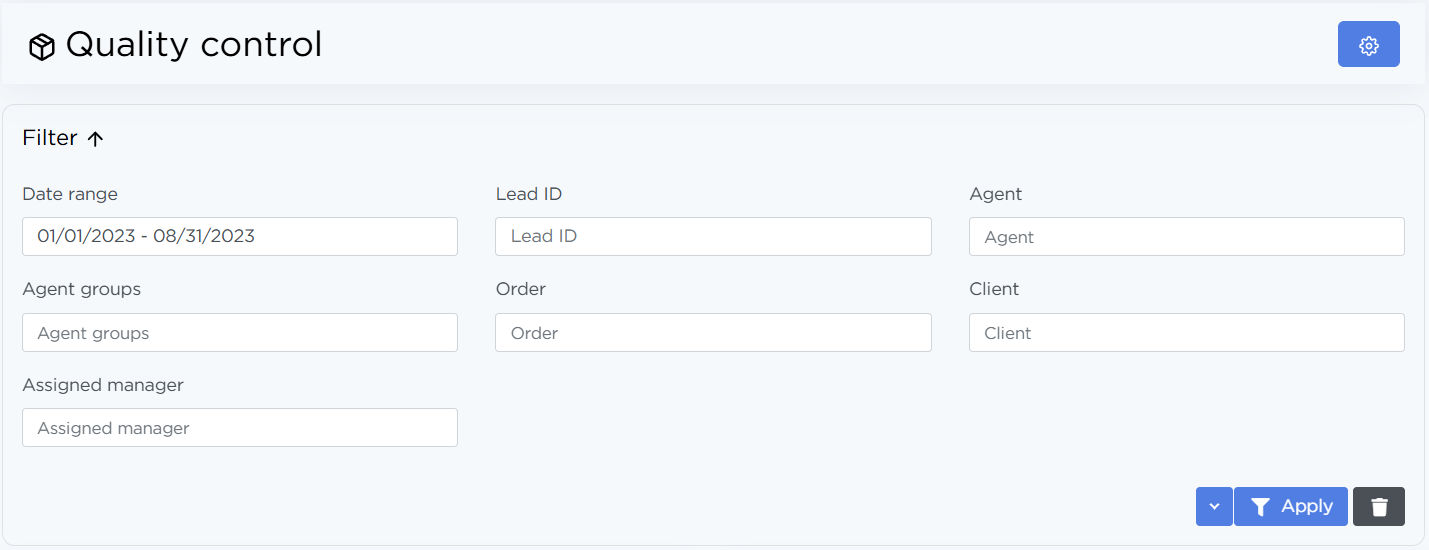
After selecting the required parameters, click Apply — the table and charts will be updated.
Charts
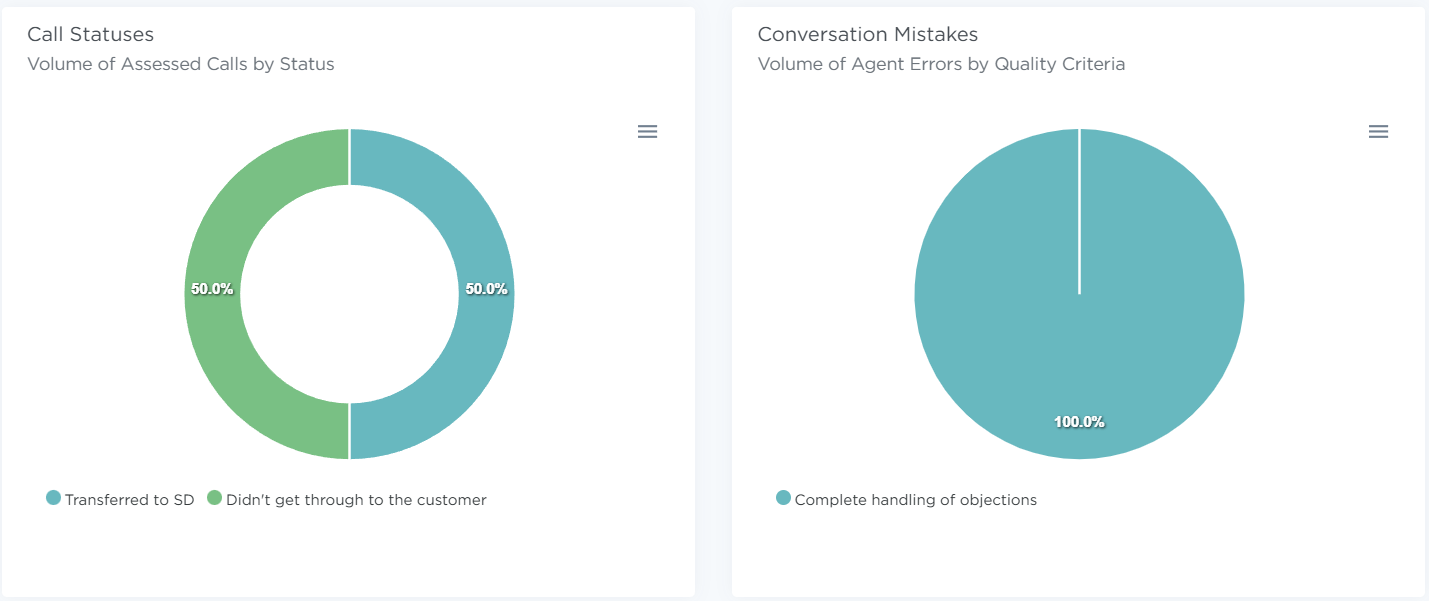
- Call statuses — a pie chart showing the distribution of evaluated calls by status. This chart helps identify which statuses are most common among reviewed calls.
- Conversation Mistakes — a pie chart showing the types of errors, their count, and their share of the total. Each segment corresponds to a specific quality criterion. This chart is used to identify systematic issues in agent performance.
Each chart can be downloaded as SVG, PNG, or CSV.
Reviewed Calls List
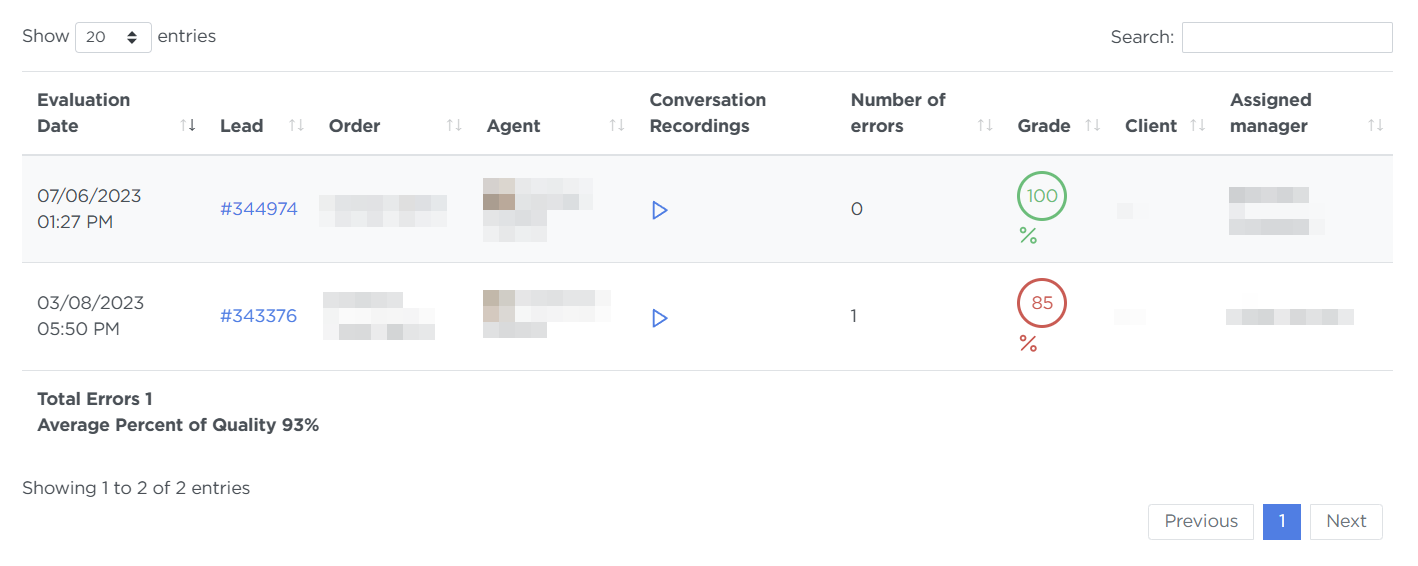
The table displays the history of all evaluations for the selected period. The following information is shown:
- Evaluation date — the date and time the evaluation was saved
- Lead — a clickable lead ID
- Order — the order name
- Agent — the employee whose call was evaluated
- Conversation recording — a button to listen to the evaluated call
- Number of errors — the total number of identified issues
- Grade — the final quality percentage
- Client — the customer
- Assigned manager — who created or updated the evaluation
How This Section Is Used
Use evaluation results to:
- regularly monitor agent performance quality,
- analyze recurring mistakes,
- prepare feedback and training materials,
- assess compliance with call scripts.
Data from this section can be used together with call analytics and lead history.