Lead Deleter
This article explains how the Lead Deleter page works. After reading it, you’ll understand how to remove leads from the system.
This utility is used when you need to clean up the database — for example, to remove test data, incorrectly uploaded leads, or outdated records that should no longer be involved in dialing, analytics, or reports.
Important
Deleted leads are completely removed from the system. This action cannot be undone. Leads can only be brought back by re-importing them, which will affect analytics accordingly.
To open the page, go to Utilities → Lead Deleter.
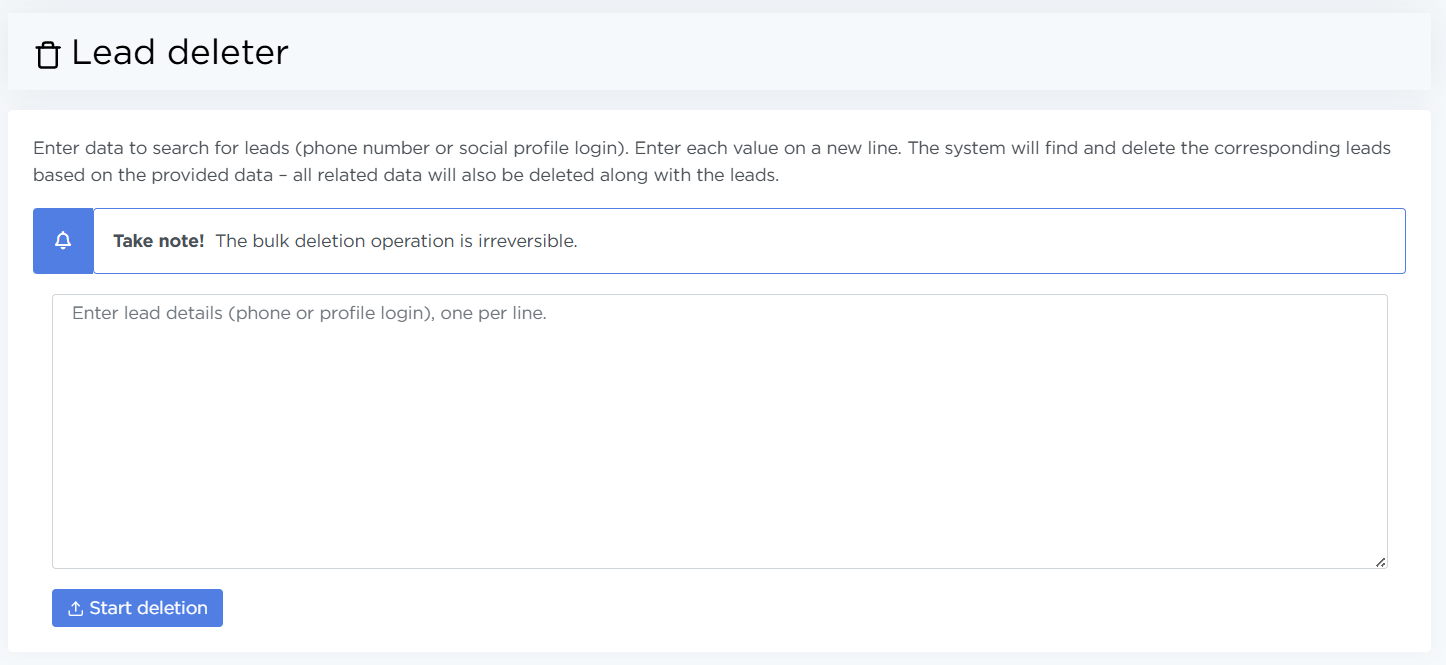
Deleting leads
To delete leads:
- Enter phone numbers in the input field — one number per line. Instead of phone numbers, you can also use social media or messenger usernames, such as Telegram.
- Click Start deletion.
Pay attention
Deletion starts immediately after clicking the button.
If the deletion is successful, the system will show a Success message.
If at least one of the specified entries is not found in the lead list, the system will display an error message.
Usage recommendations
- Use lead deletion only when you are fully confident that the operation is necessary.
- Deleting leads affects statistics and analytics. Do not use this tool for day-to-day operations — it is intended strictly for data administration.