Job Instructions
The Parametres → Job Instructions section is used to store and organize internal documents such as policies, instructions, training materials, and reference information. Content in this section is available to agents in read-only mode and is used in day-to-day work without the need to rely on external sources.
Section structure
The section has three levels:
- the category list,
- the list of documents within a category,
- viewing an individual document.
All levels follow the same display and management logic.
Job instruction categories
What a category is
A category is a logical grouping that brings together documents on the same topic. Typical examples include:
- Agent work guidelines
- Motivation and KPIs
- Training and onboarding
- FAQs
- Technical instructions
Categories are used for navigation and make it easier to find the right materials.
Category list
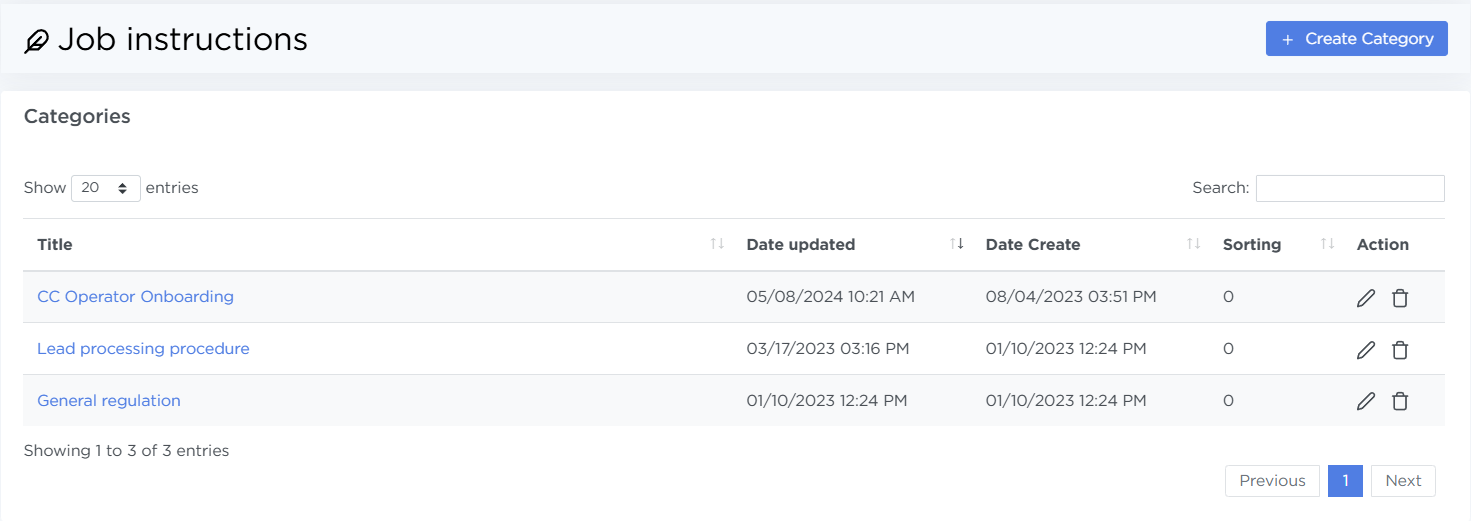
When you open Parametres → Job Instructions, you’ll see a list of all created document categories. The list shows:
- Title — the clickable category name
- Date updated — the date the category was last changed
- Date Create — the category creation date
- Sorting — number for sorting categoties
- Actions — buttons to edit or delete the category
Creating and editing a category
To create a new category, click Create Category in the top-right corner of the page. Enter the category title and click Save.
Once saved, the category appears in the main list and can be filled with documents.
Documents within a category
Document list
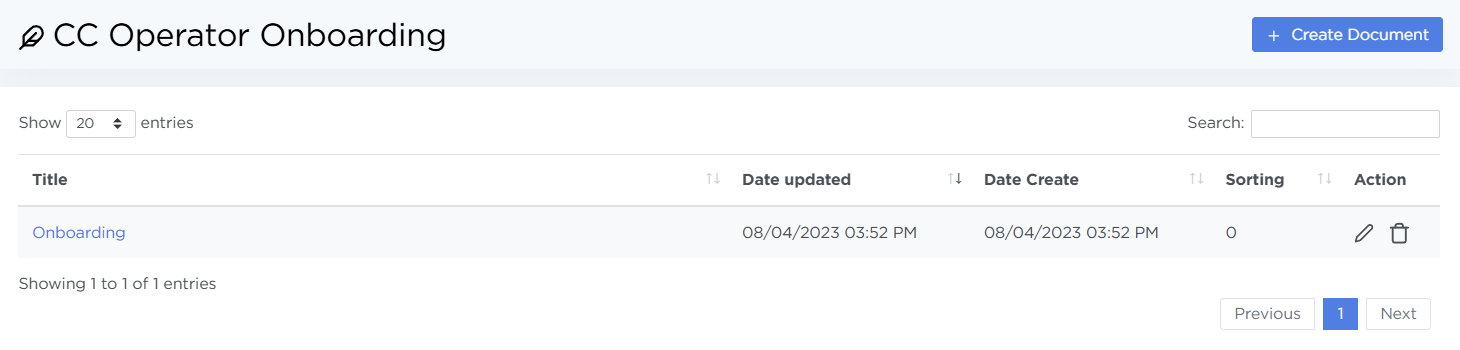
When you open a category, you’ll see a page with all documents related to it. The page layout is similar to the category list and shows:
- the document name,
- creation and update dates,
- actions to edit or delete the document.
To open a document, click its name.
Creating and editing a document
To add a new document, click Create Document.
The document creation and editing page consists of two blocks:
-
Document title and sorting. Enter the document title and a numeric value to define its position in the list.
-
Document content. A text editor for writing instructions, policies, or reference information. The editor supports structured text and formatting.
After saving, the document appears in the category’s document list and becomes available to agents in view mode.
Viewing a document
When a document is opened, its name and content are shown without any editing controls.
Agents can view documents. Editing is available to users with senior agent, moderator, or administrator roles. Deletion is available only to moderators and administrators.