Call Quality Criteria
The Parametres → Call Quality Criteria page is used to manage the list of criteria that moderators use to evaluate calls. This page is where the criteria themselves are configured — their names, order, and penalty percentage — not the evaluation results.
Criteria list
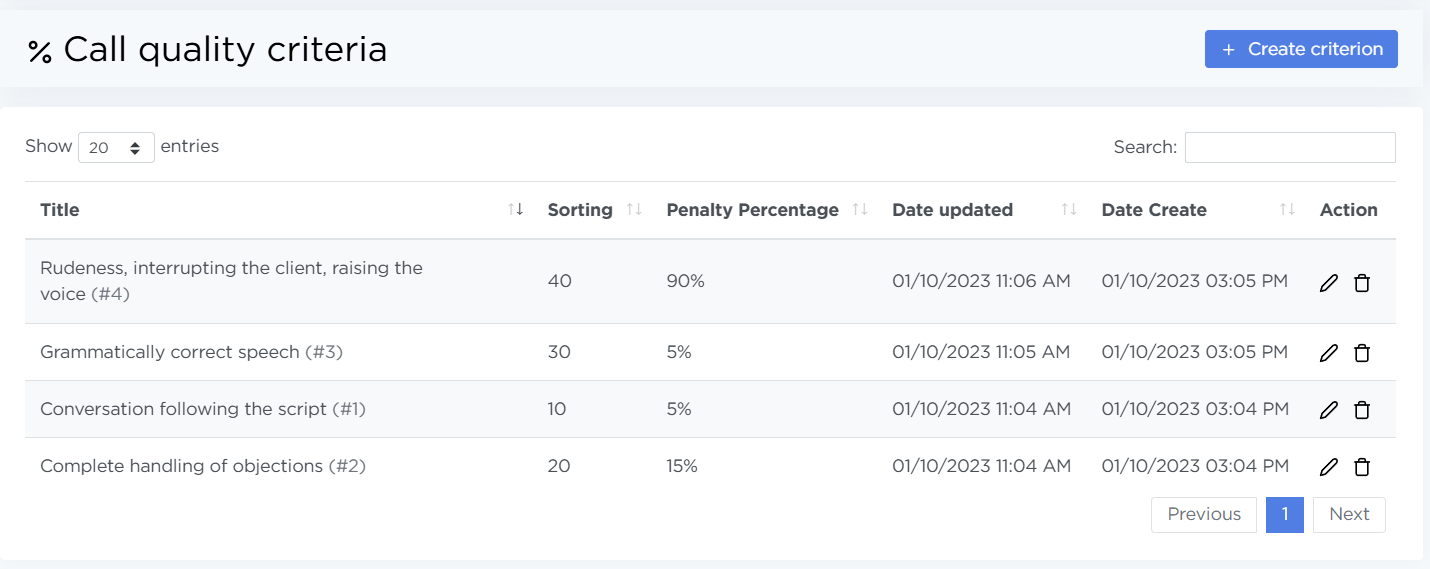
The list shows all created quality criteria. For each criterion, the following information is displayed:
- Title — the criterion used to evaluate a call,
- Sorting — the position of the criterion in the evaluation interface,
- Penalty percentage — the penalty applied when an error is recorded for this criterion,
- Date updated — the date and time when the criterion was last modified,
- Date Create — the date and time when the criterion was created,
- Action — edit and delete buttons.
How to add a criterion
- Open Parametres → Call Quality Criteria.
- Click Create criterion.
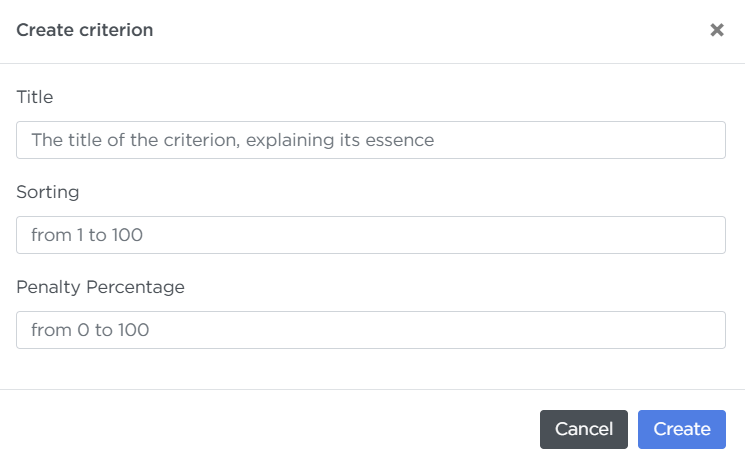
- Fill in the fields:
- Title
- Sorting
- Penalty percentage
- Click Create.
How to delete a criterion
- If needed, enter the criterion name in the search field.
- In the criterion row, click the delete action.
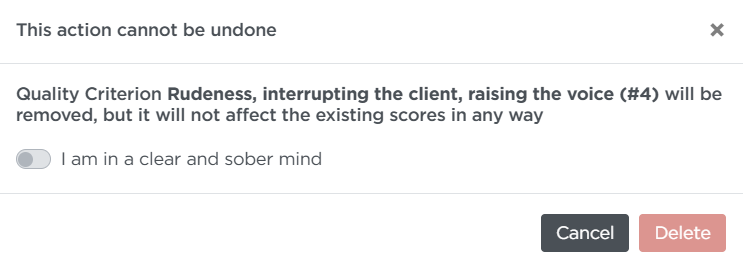
- In the confirmation window, enable the toggle I am in a clear and sober mind.
- Click Delete.
Note
When a criterion is deleted, it disappears from the list but remains in already saved evaluation results.