Call attempts
Call attempts are sets of time gaps that the system uses to automatically call a lead again if the first attempt didn’t result in a conversation. To view all existing intervals, go to Parametres → Call attempts. From here, you can create new interval groups and edit existing ones.
For each interval group, the following information is shown:
-
Title (if the group is the default one, it’s marked as such).
-
Attempts — the system visually displays the time gaps between call attempts.
-
Actions — edit or delete the group.
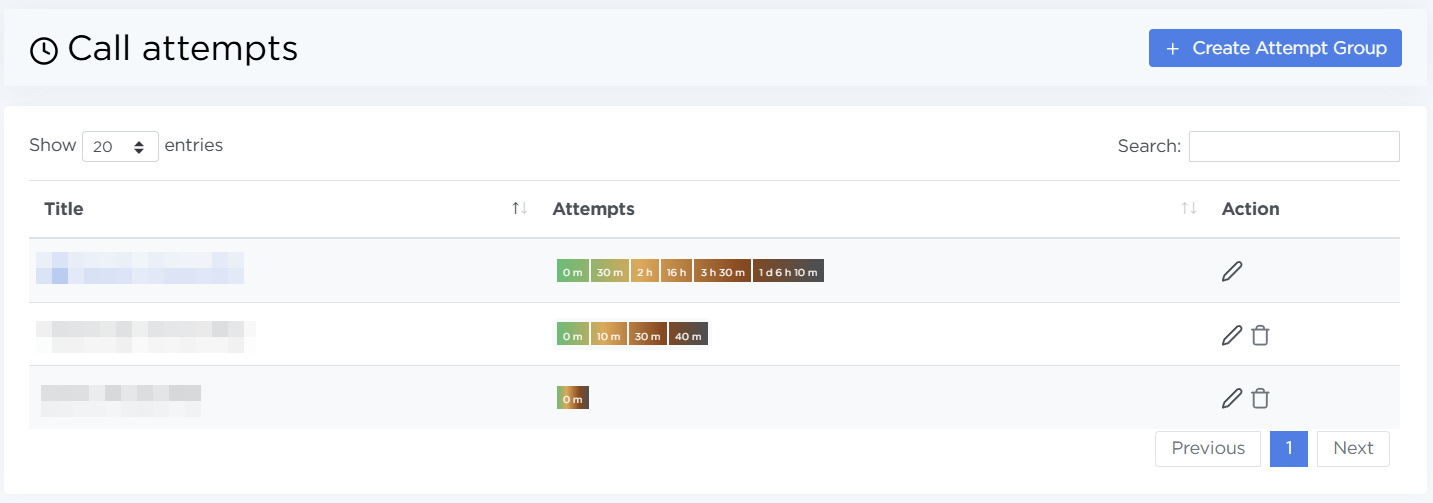
Search and sorting make it easier to quickly find the interval set you need.
Where intervals are used
Any interval group can be selected in the order settings on the Telephony tab.
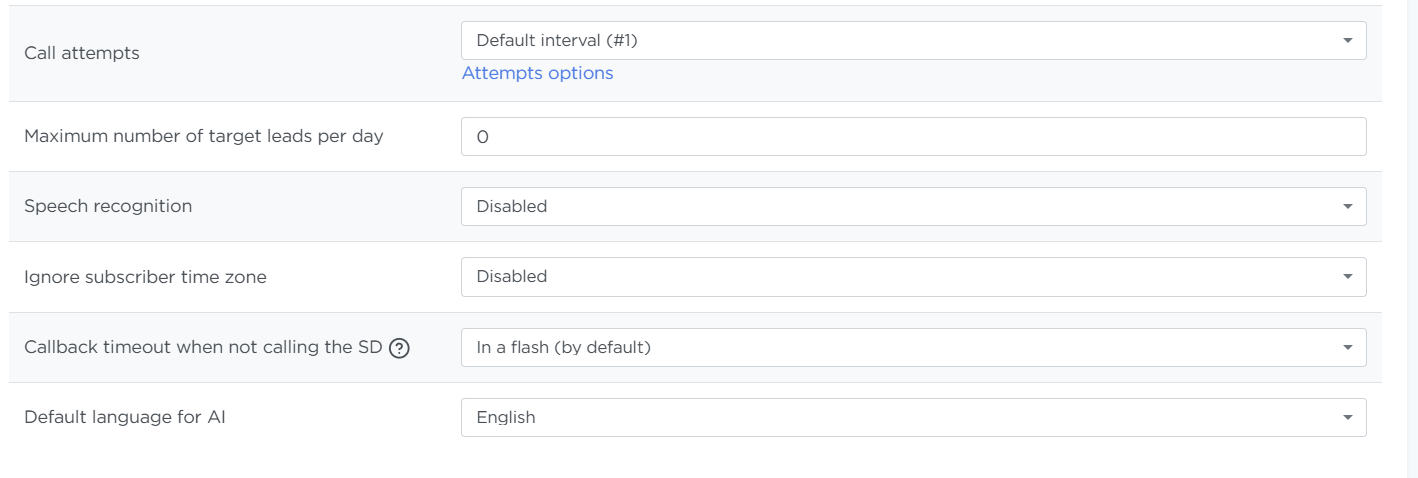
The Default group is applied automatically if no other group is assigned to a specific order.
Example
The screenshot above shows the Default group (#1). The call attempts work as follows:
- 0m — the system places the first call immediately after the lead appears in the order
- 30m — if the previous call didn’t result in a conversation (the lead didn’t answer or the line was busy), the system calls again after 30 minutes
- 2h — if that attempt also fails, the system calls again 2h after the previous attempt
And so on, until the last attempt. If the final attempt also fails, the system stops calling that lead.
Managing intervals
On this page, you can:
-
Create a new interval group. For details on how to create intervals, see the article 👉 Quick start. Once created, the group appears in the main list.
-
Edit existing groups. You can change the group settings, including its name and the intervals themselves, by clicking the edit icon.
-
Delete a group. This is available for all interval groups except the default one.