Blocklist
This article explains how the Blocklist page works, what actions are available, and how to manage blocked phone numbers. After reading it, you’ll know how to review blocked numbers and add new ones when needed.
What the Blocklist is for
The blocklist is used to block numbers that shouldn’t be processed or turned into leads. This helps filter out unwanted contacts — for example, technical numbers, internal company lines, or numbers from callers who repeatedly create non-target leads.
To open the page, go to Parametres → Blocklist.
Viewing the list of numbers
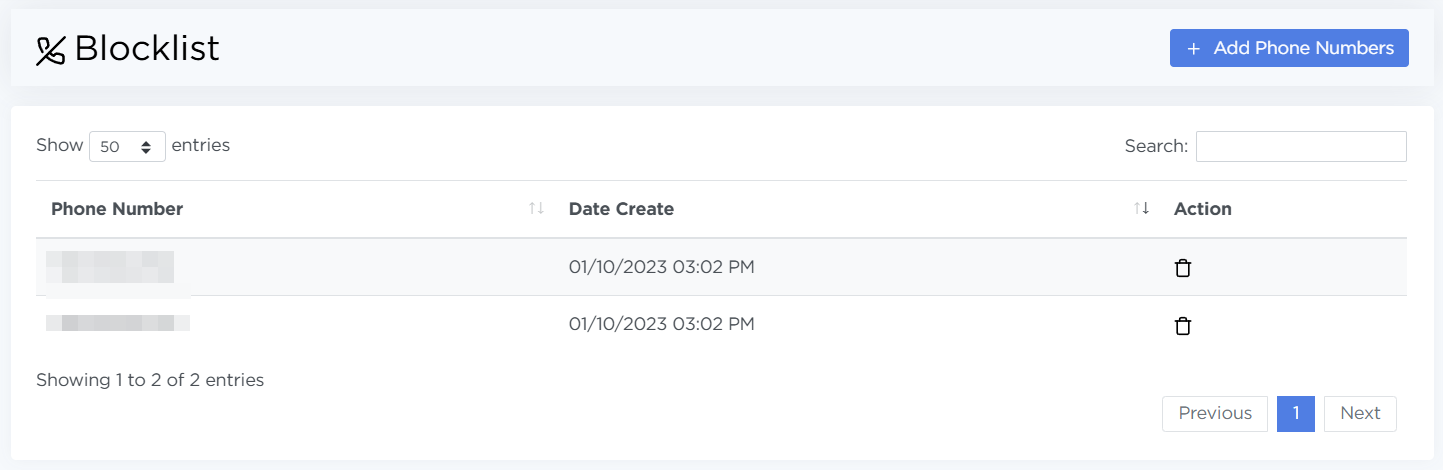
The list shows:
- Phone Number — the blocked number
- Date Create — when the number was added
- Actions — an option to remove the number from the list
How to add a number to the Blocklist
To add new numbers:
- Open Parametres → Blocklist.
- Click Add Phone Numbers.
- In the window that appears, enter phone numbers in the format
12345678900, one number per line. - Click Create.
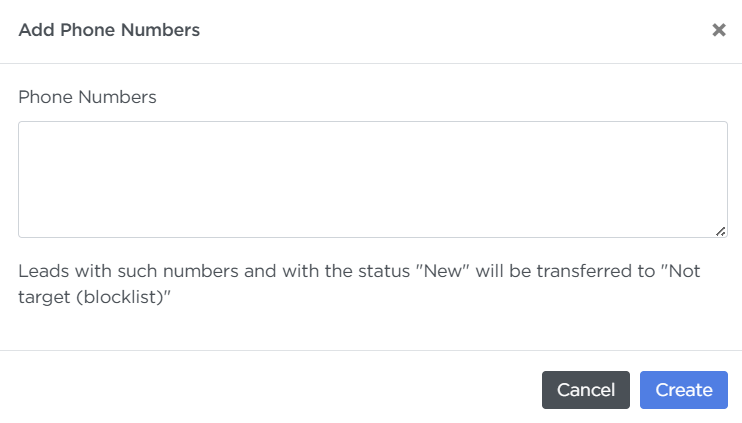
After saving, the numbers will appear in the table. Leads with these numbers in the New status will automatically move to Not target (blocklist).
How to remove a number from the Blocklist
- Find the number in the table or type it into the search field.
- Click the trash-bin icon in the actions column.
- Confirm the deletion.
Once a number is removed, new leads with that number will be processed normally.