Billing & Plan
The Billing & Plan page is used to monitor the financial terms of working in Liner: viewing the active plan, billing history, and payment statuses. This section helps understand under which conditions the system copy is operating and whether there are any limitations due to unpaid services.
The Billing & Plan section is available only to moderators.
Account balance and current plan
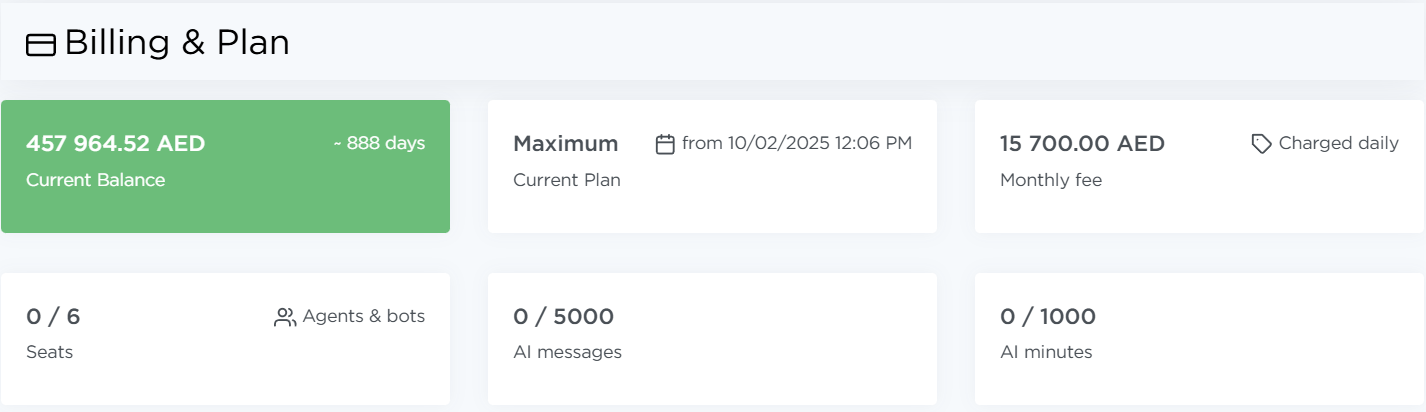
At the top of the page, you can see information about the account balance and the active plan. This block shows:
- current balance,
- plan,
- plan cost and billing logic,
- limits and restrictions:
- how many workspaces are used out of those included in the plan,
- how many AI chatbot messages have been used out of the plan limit,
- how many AI agent minutes have been used out of the plan limit.
Payments
Below is a list of all billing-related operations for using Liner. The list includes:
- Date — when the charge or payment was made,
- Account — which account the transaction was applied to,
- Type — payment, charge, adjustment,
- Amount — transaction value,
- Status — completed, pending, cancelled,
- Description — transaction details.
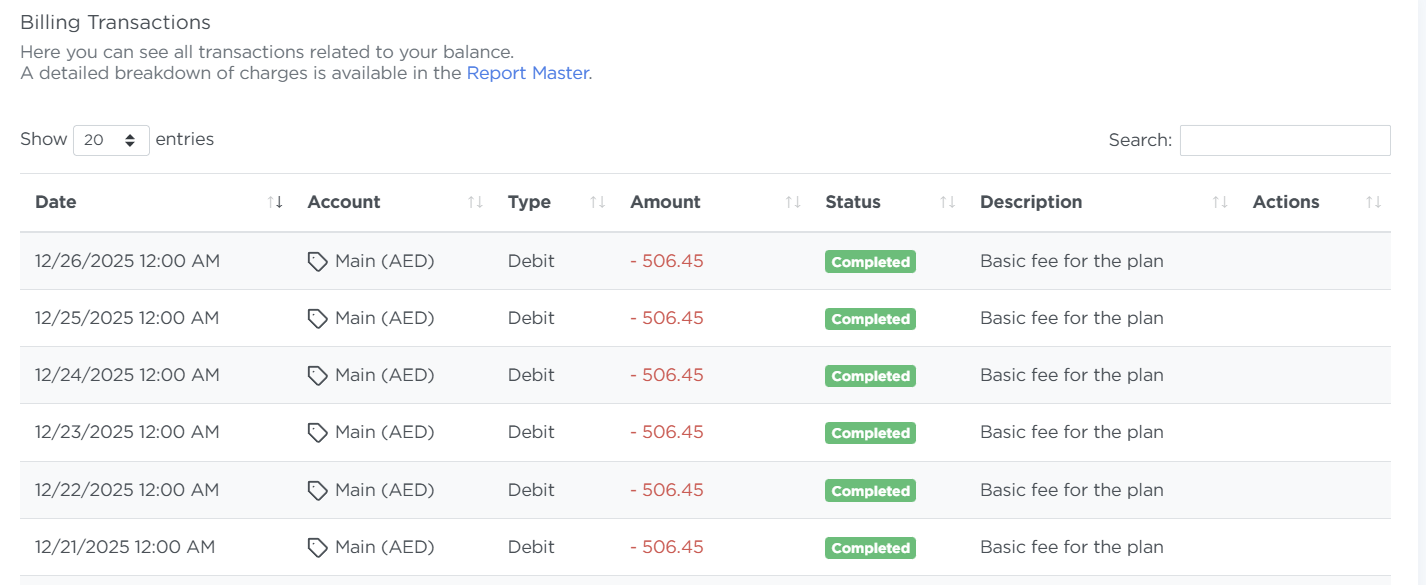
This list is used to reconcile payments and track the system’s financial history.
Payment status
If there are unpaid operations under the current plan, this is reflected in the payment statuses.
Please note
If there is an outstanding balance, access to certain system features may be limited — the exact behavior depends on the plan terms.
The Billing & Plan section is typically used to:
- check whether the plan is active,
- understand why system features may be restricted,
- confirm that a payment was made,
- review the billing history.
Important
Editing plans or manually changing payments is not available through the interface. To make changes, contact an administrator.